Put Mermaid diagrams in Word and PDF
Turn Mermaid code blocks into diagrams inside a Word document or PDF. Flowcharts, sequence diagrams, Gantt charts and more, sized to the page automatically.
Step by step
- Keep the diagram in a fenced code block that starts with ```mermaid, as ChatGPT, Claude and GitHub write it.
- Paste the whole document into Mathfold.
- The preview draws the diagram where the code block was.
- Download Word or PDF. The diagram is placed and sized for the page.
Why Mermaid needs a converter
Mermaid diagrams are text. GitHub, Obsidian and most AI chats draw them on screen, but Word has never heard of Mermaid. Copy the diagram from a chat and you get a picture at screen resolution or just the code. Mathfold draws each diagram for print and places it like a figure.
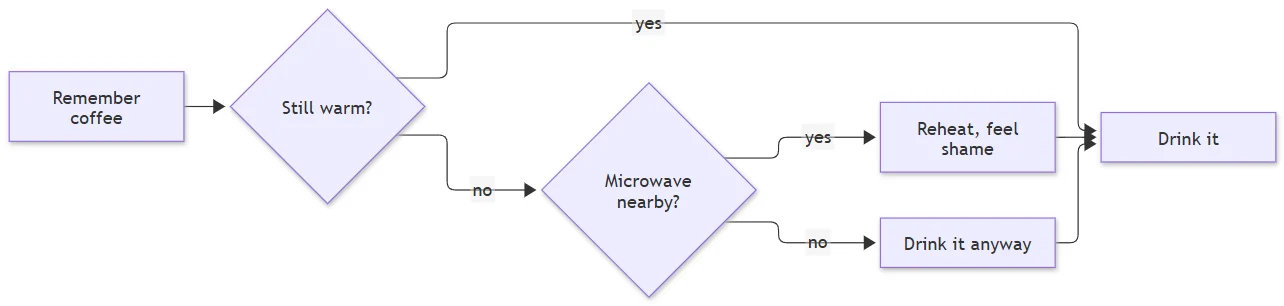
```mermaid
flowchart LR
    A[Remember coffee] --> B{Still warm?}
    B -- yes --> C[Drink it]
    B -- no --> D{Microwave nearby?}
    D -- yes --> E[Reheat, feel shame]
    D -- no --> F[Drink it anyway]
    E --> C
    F --> C
```
Placed like a figure, not pasted like a screenshot
Every diagram is measured before it is placed. It is never upscaled beyond its natural size, so the text in it stays the same size as your body text where possible. If it is wider than the page, Mathfold compares two options: shrink it in portrait, or turn the page. It turns the page when shrinking would make the labels too small to read.
Diagrams from AI chats
Claude and ChatGPT both write Mermaid when you ask for a flowchart, a process or an architecture overview. Ask for the diagram as a Mermaid code block, paste the answer into Mathfold, and the diagram arrives in Word next to the explanation that goes with it.
Questions
Which diagram types work?
Mathfold uses Mermaid itself to draw, so the standard diagram types work, including flowcharts, sequence, class, state, entity relationship, Gantt, pie, mind map and timeline diagrams.
Can I edit the diagram in Word?
In Word the diagram is a high-resolution image. To change it, edit the Mermaid code and convert again; that keeps the source of truth in one place.
What if my diagram has a syntax error?
The code block is kept as code and the preview shows a warning, so the rest of the document still converts.
What happens to very wide or very tall diagrams?
A wide diagram gets a landscape page or is scaled to the text width. A very tall one is scaled down to a readable size or split across pages, never squashed into a stamp.